In plans BusinessWhite Label
Engineer review and sign-off
Before installation a qualified engineer must check the calculation. In Business this is built in: send a version, get a signature or a comment — and the signature goes into the report.
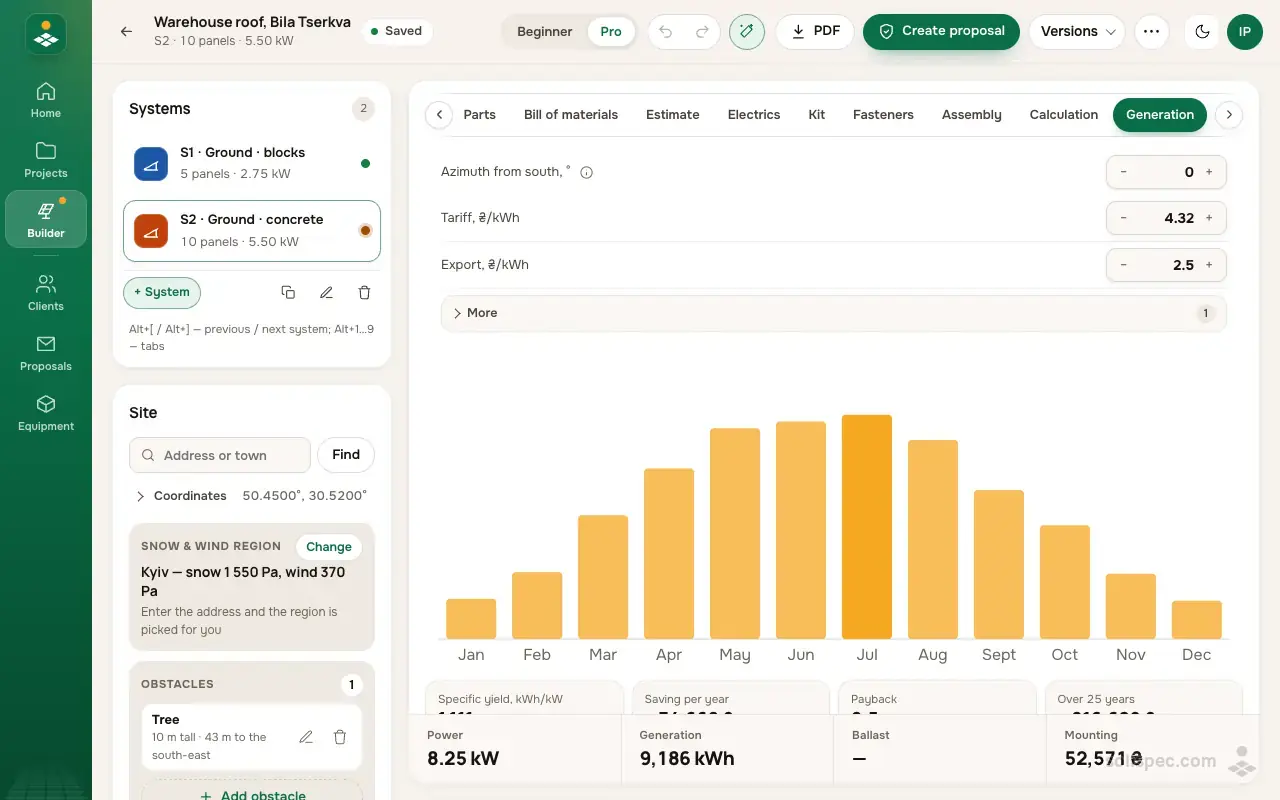
Ground frame designer
Design the ground frame for your solar plant
Solispec picks the profiles and posts, checks the frame against snow and wind to the DBN and prices it down to the last bolt.
What it is
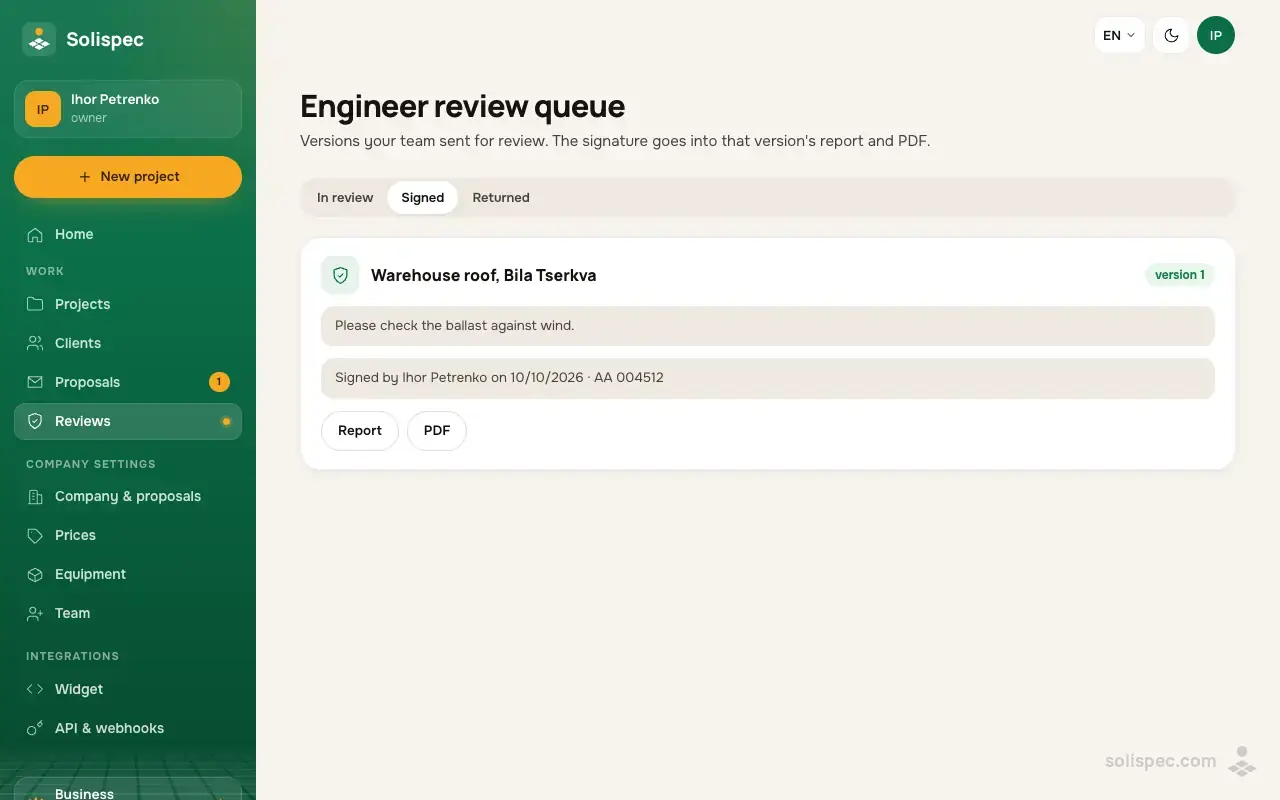
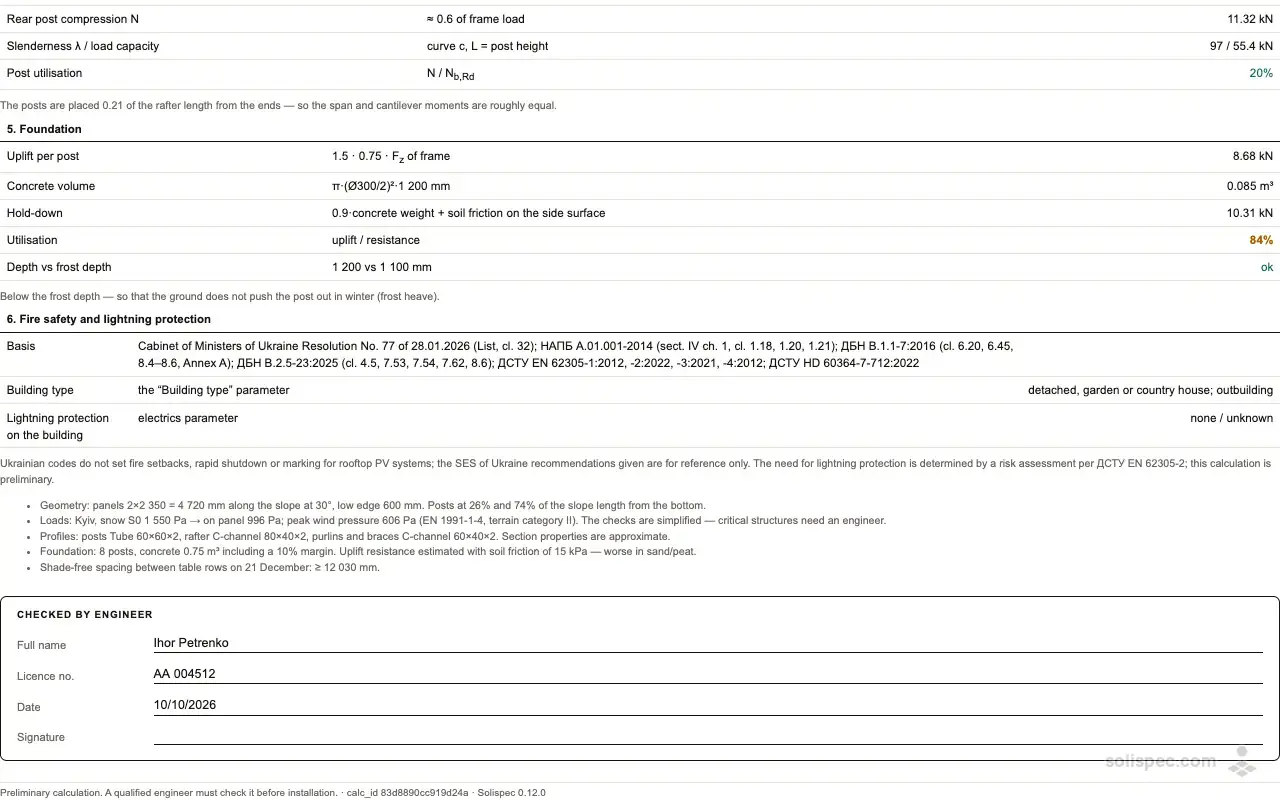
Any saved version of a project can be sent for review with a note — the company’s engineers get an email and see it in the engineer review queue. The engineer opens the report and the PDF and then signs (full name, licence number, date) or sends it back with a comment. The signature becomes a «Checked by engineer» block in the report and PDF of exactly that version.
How to use it
- 01
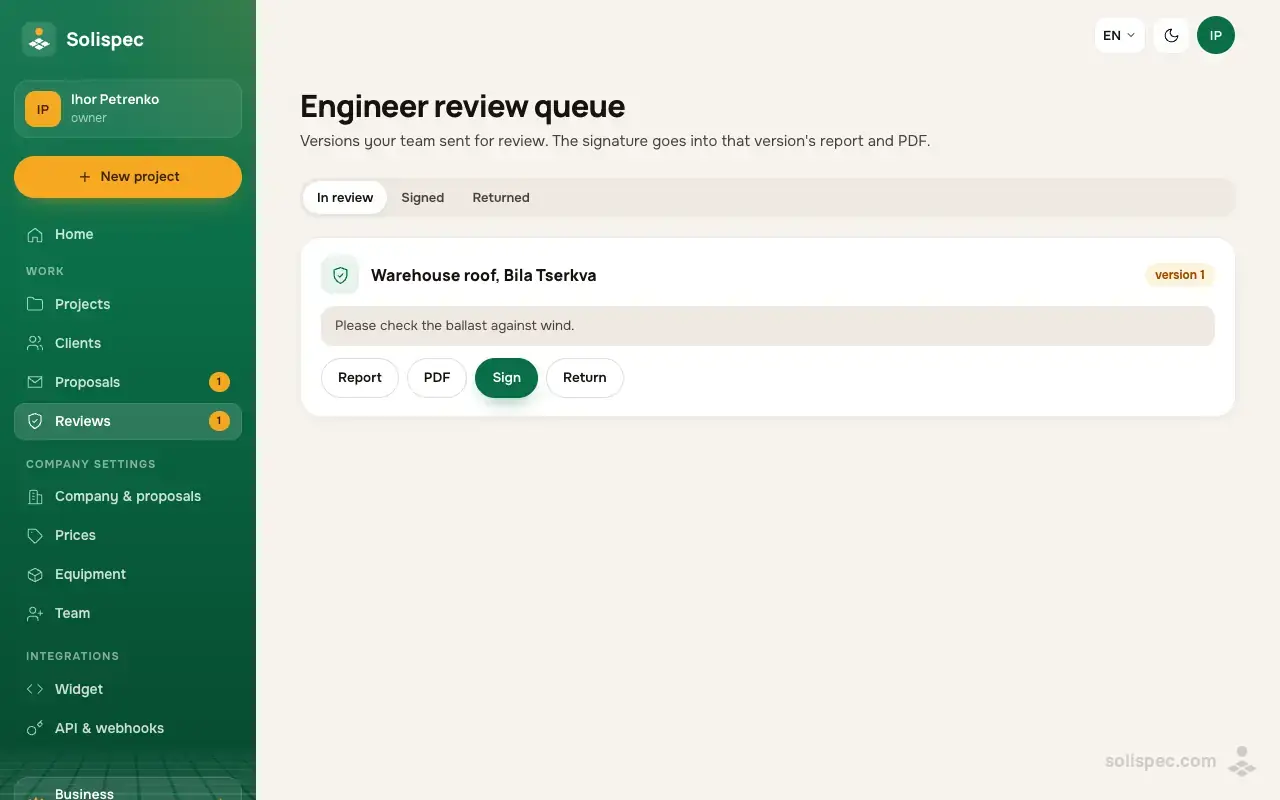
In the project press «Send for review», add a note and send it to the engineer.
- 02
Under «Reviews» the engineer opens the report and then signs it or returns it with a comment.
- 03
A signed version has the engineer’s block in the report — hand it to the customer or the bank.
Why it matters to an installer
Every Solispec calculation is a preliminary estimate, and we say plainly that an engineer must check it before installation. A queue with a signature makes that check quick and transparent: you see who checked which version and when.
Start and the paid plans
The review queue and engineer signature are in Business and White Label. On Start and Pro the report is marked preliminary, without a signature block.
| Feature | Start | Pro | Business | White Label |
|---|---|---|---|---|
| Engineer review queue and sign-off | not included | not included | included | included |
Working as a team?
Business is everything in Pro plus 3 team seats, roles, engineer review and the API.
Related features
Team and roles
3 seats in Business, then extra ones; roles for a manager, an engineer and someone who only looks.
Learn moreClean PDF
A report without the «Solispec · Start» mark — ready to hand to the customer.
Learn moreSafety checks
Frame, supports and fixings against snow and wind under the Ukrainian DBN — free on every plan.
Learn more