In every plan StartProBusinessWhite Label
Safety checks
Every change in a project is checked at once: the strength of the frame, supports and fixings against snow and wind for your region, plus the electrical checks. This is in the free Start plan too.
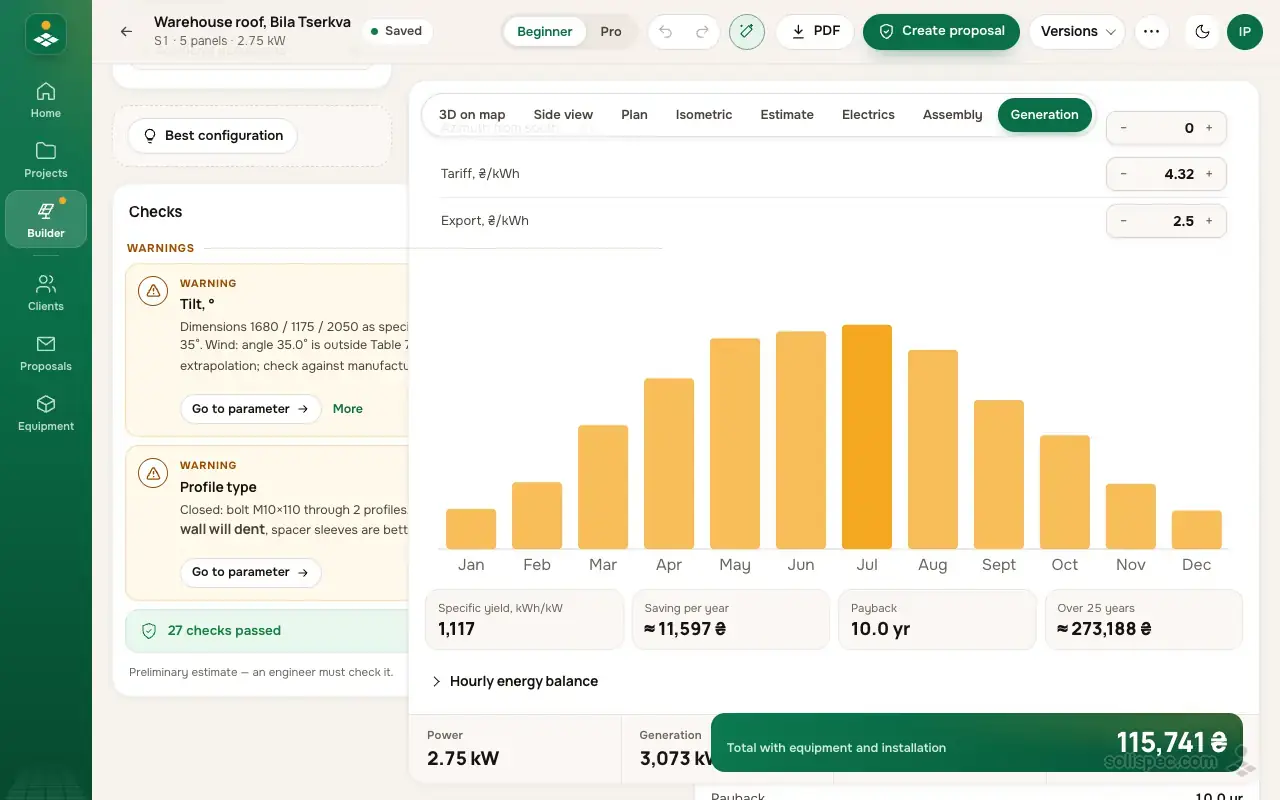
Ground frame designer
Design the ground frame for your solar plant
Solispec picks the profiles and posts, checks the frame against snow and wind to the DBN and prices it down to the last bolt.
What it is
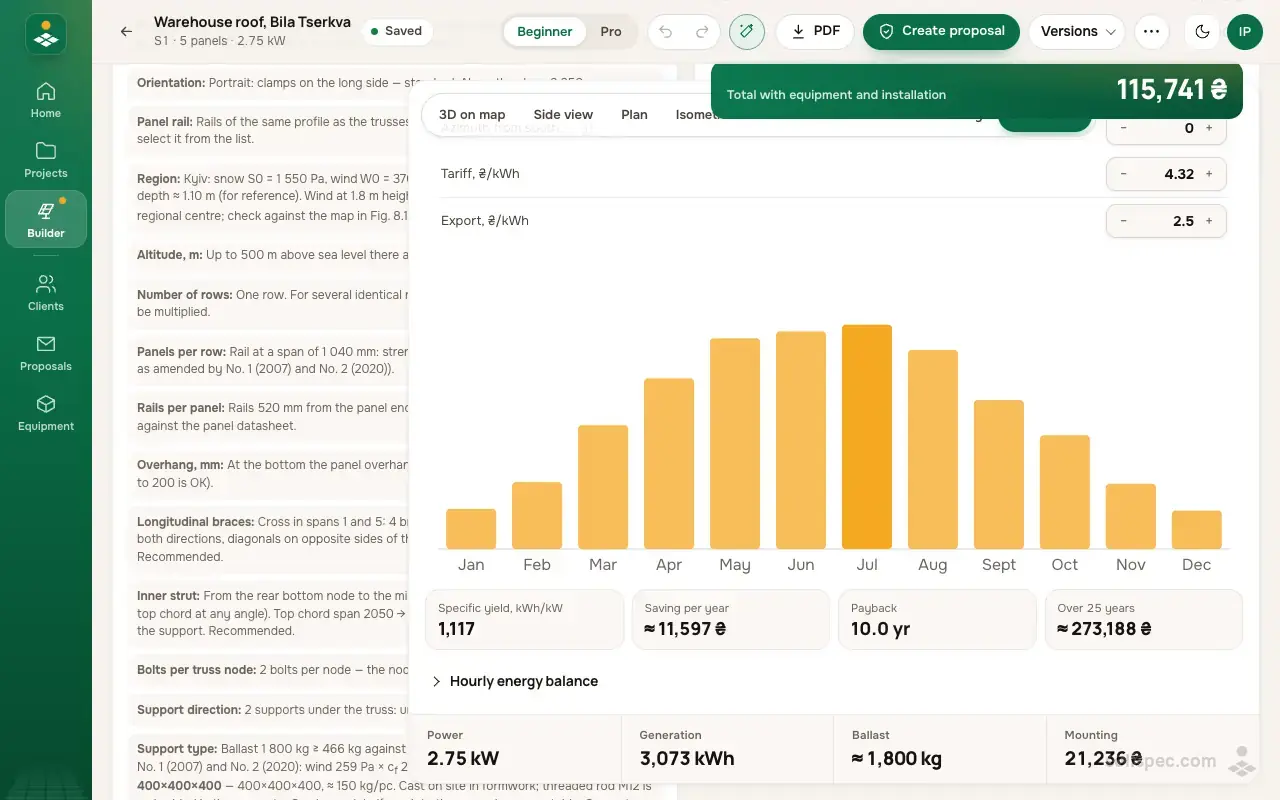
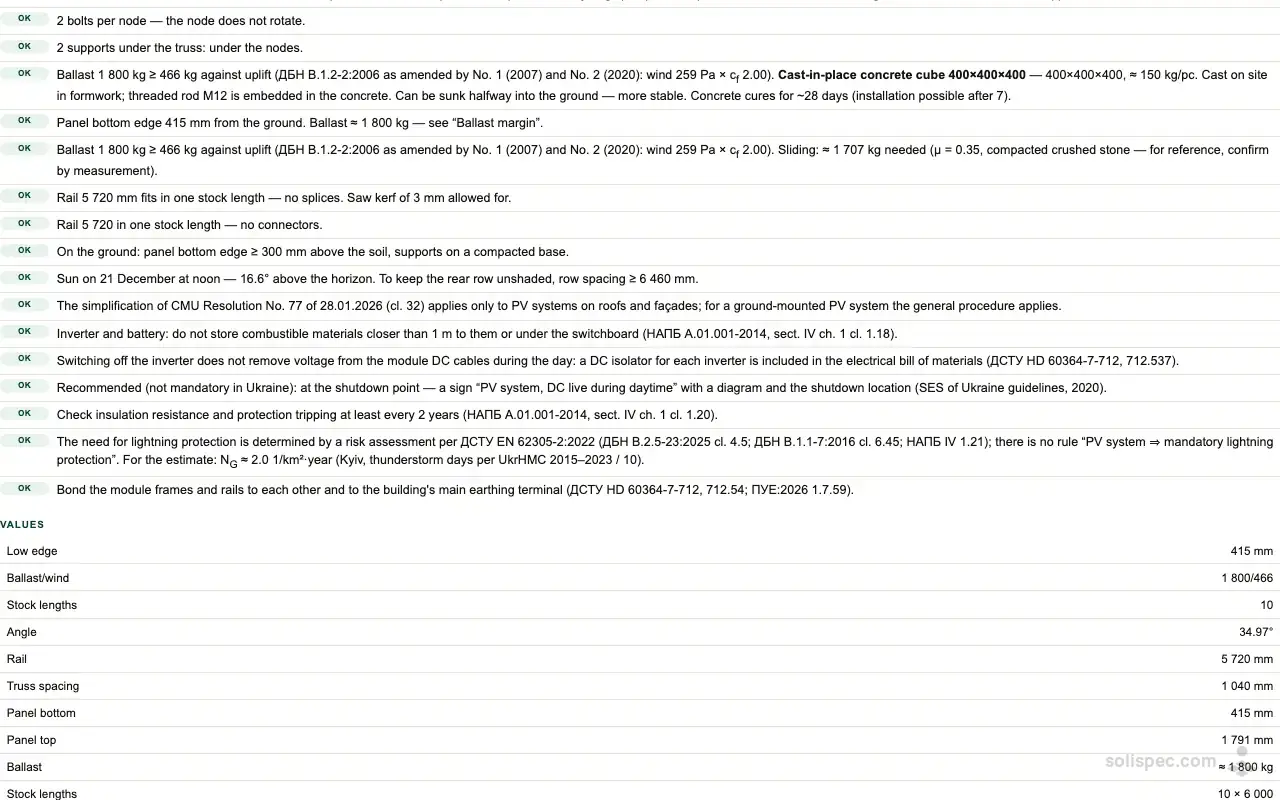
Solispec finds the snow and wind region from the site address and checks the structure under DBN V.1.2-2 and related codes. The checks panel splits the results into critical, warnings and passed; each item explains the reason and has a button that takes you to the field to change. The list of checks with their codes goes into the report too.
How to use it
- 01
Enter the site address — the snow and wind region is found automatically.
- 02
Change the structure settings: the checks panel updates at once.
- 03
Press the button next to a warning to fix exactly that field.
Why it matters to an installer
A structure that cannot take the snow or the wind is a risk to people and to your reputation. The checks catch the mistake at the design stage, not after the first storm.
What Start includes
The safety checks — wind, snow, ballast and strength — are on every plan, the free Start and working without an account included. The calculation is preliminary: a qualified engineer must check it before installation.
| Feature | Start | Pro | Business | White Label |
|---|---|---|---|---|
| Safety checks | included | included | included | included |
Start for free
Start is free forever: safety checks, the estimate, 1 project.
Related features
All drawings
Side view, plan, isometric, joints, cutting list and parts list — for the crew and the supplier.
Learn moreFull electrical design
Inverters, strings, voltage and current checks, cables and protection — priced in the estimate.
Learn moreEngineer review and sign-off
A project version goes to an engineer for review; their signature with licence number goes into the report and PDF.
Learn more
How it is done in Solispec: Ground frame design for solar: the truss to the DBN