In plans ProBusinessWhite Label
Website widget without the mark
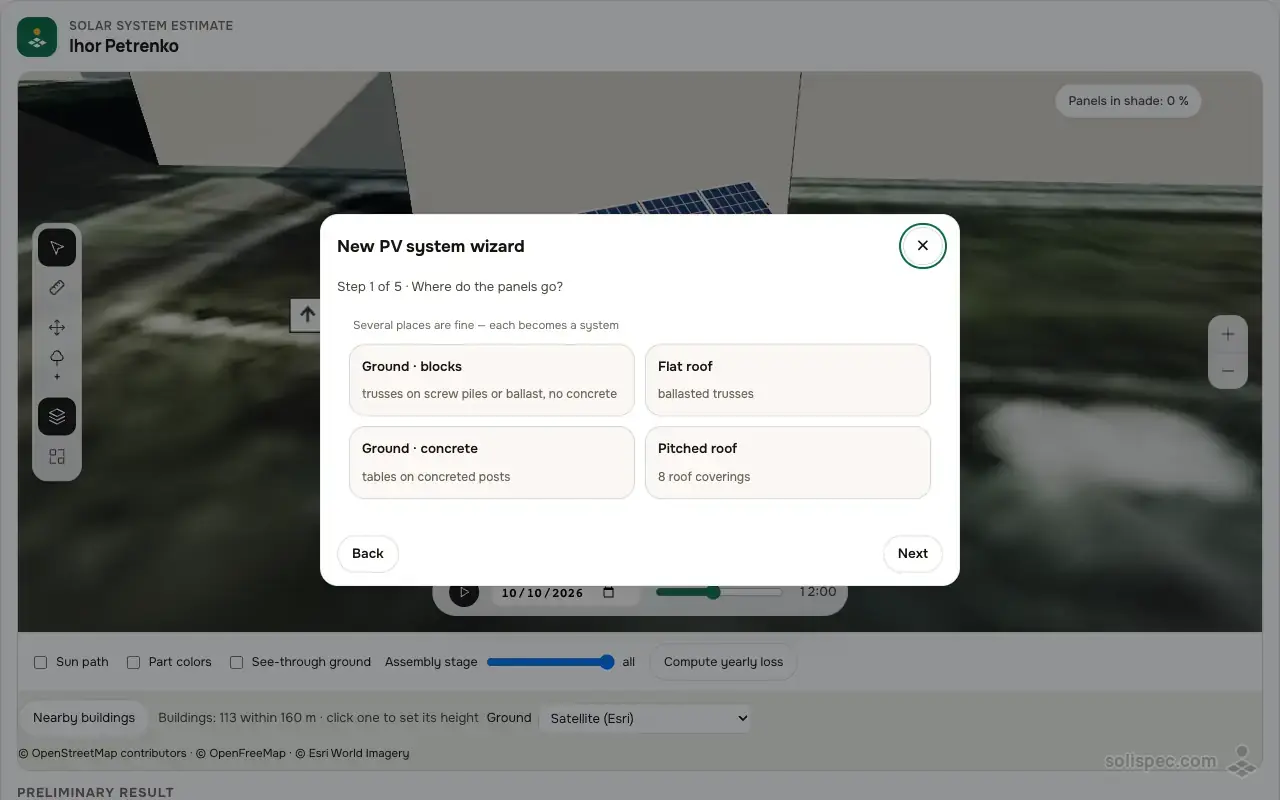
Put a mini version of Solispec on your website: in five steps a visitor picks the mounting type and sees the plant in 3D with a rough cost.
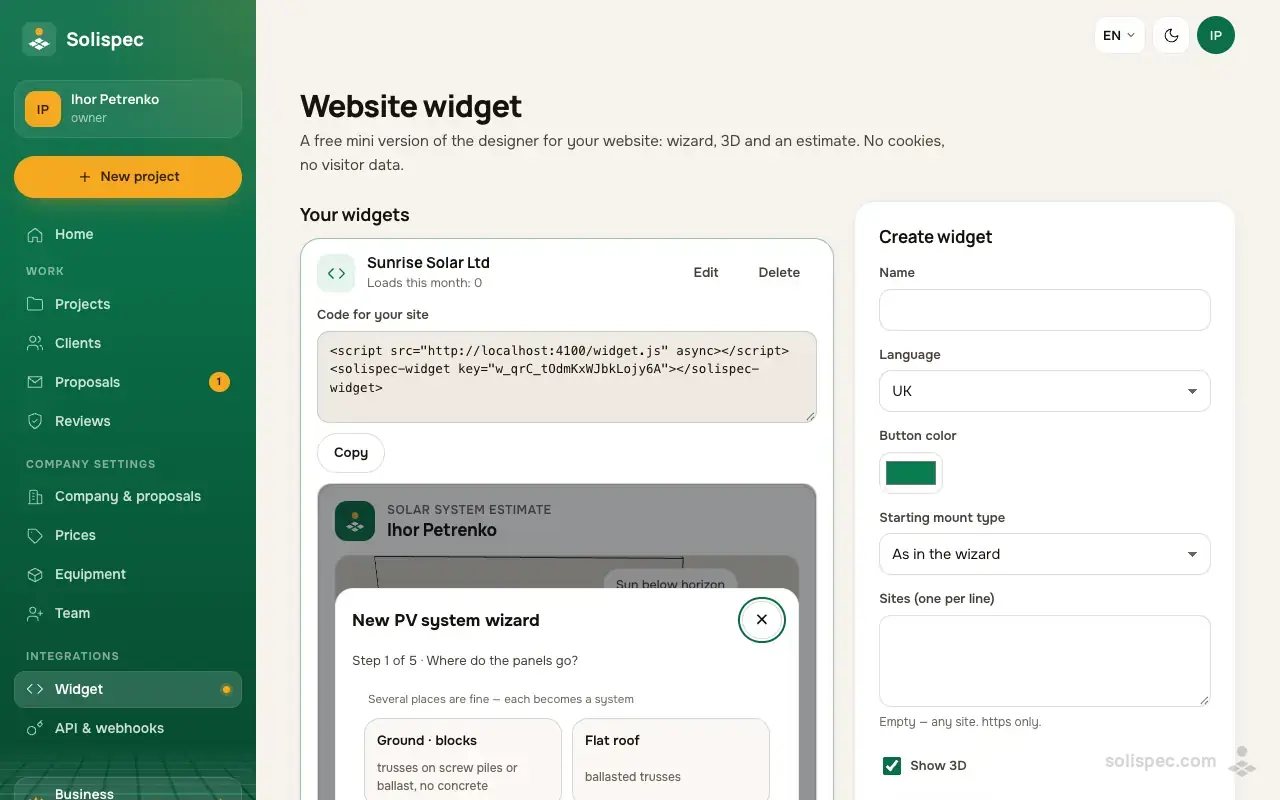
Ground frame designer
Design the ground frame for your solar plant
Solispec picks the profiles and posts, checks the frame against snow and wind to the DBN and prices it down to the last bolt.
What it is
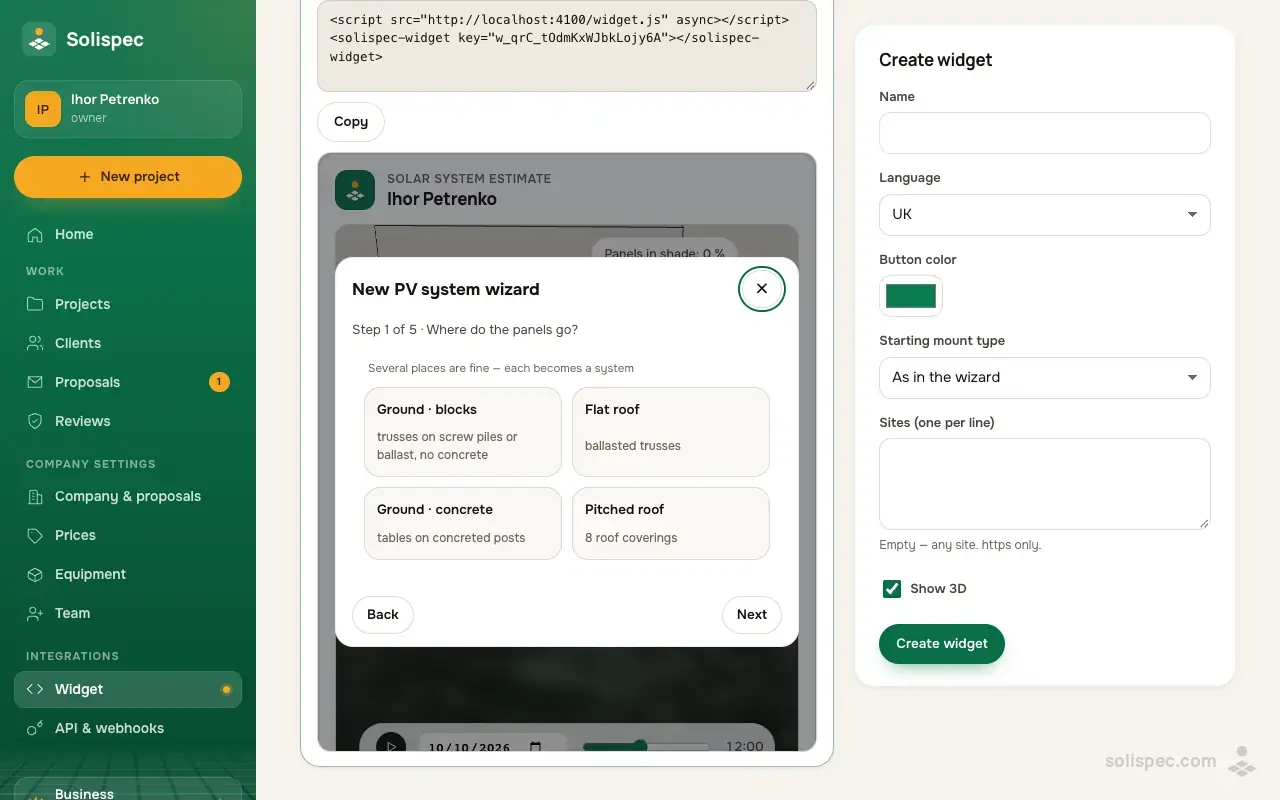
Under «Widget» you create up to 10 widgets: name, language, button colour, the mounting type it starts with, the sites it is allowed on and whether to show 3D. Solispec gives you a short snippet to paste into your site and counts the loads per month. The widget sets no cookies, and from it a visitor can open the full Solispec.
How to use it
- 01
Open «Widget», fill in the settings and press «Create widget».
- 02
Copy the website code and paste it into a page of your site.
- 03
Follow the monthly loads in the widget list; settings change without pasting the code again.
Why it matters to an installer
A visitor sees for themselves which plant suits them and roughly what it costs, and comes to you already informed. Without someone else’s mark the widget looks like part of your site.
Start and the paid plans
The widget is on every plan. On Start it shows «Powered by Solispec», in Pro and Business there is no mark, in White Label it carries the partner’s brand.
| Feature | Start | Pro | Business | White Label |
|---|---|---|---|---|
| Website widget | with the Solispec mark | no mark | no mark | under your brand |
Ready to sell with Solispec?
Pro opens proposals, your prices and company details, unlimited projects and everything on this page. Paid monthly by card or crypto.
Related features
Proposals with options
A proposal behind a link: a grid and a hybrid option; the client picks and accepts from a phone.
Learn moreWhite Label for your network
Solispec under your brand for your installers: cabinet, proposals, PDF and widget without the Solispec mark.
Learn moreAPI and webhooks
10,000 requests a month in Business: projects, clients, proposals and prices from your CRM; events to webhooks.
Learn more